
Video Interview
Video Interview
Mesha
Mesha
Performance marketing automation
Performance marketing automation
Product Design, B2B, White-label
Product Design, B2B, White-label
About
About
This Video Interview Platform is an automated interview solution designed to eliminate candidate anxiety and streamline remote hiring processes. Built for Mesha, it transforms video interviewing from a stressful technical hurdle into a confidence-building experience through interactive preparation.
This automated video interview platform reduces candidate anxiety and streamlines remote hiring with interactive prep for a more confident interview experience.
This automated video interview platform reduces candidate anxiety and streamlines remote hiring with interactive prep for a more confident interview experience.
Objective
Objective
To create a candidate-centric video interview platform that reduces technical anxiety by 70%, improves interview authenticity through confidence-building preparation, and accelerates hiring timelines by 30% - all while maintaining flexibility for white-label commercialization and internal company adoption.
To create a candidate-centric video interview platform that reduces technical anxiety by 70%, improves interview authenticity through confidence-building preparation, and accelerates hiring timelines by 30% - all while maintaining flexibility for white-label commercialization and internal company adoption.
To build a candidate-first video interview platform that cuts technical anxiety by 70%, boosts authenticity through prep, and speeds hiring by 30%, with white-label and internal rollout options.
To build a candidate-first video interview platform that cuts technical anxiety by 70%, boosts authenticity through prep, and speeds hiring by 30%, with white-label and internal rollout options.
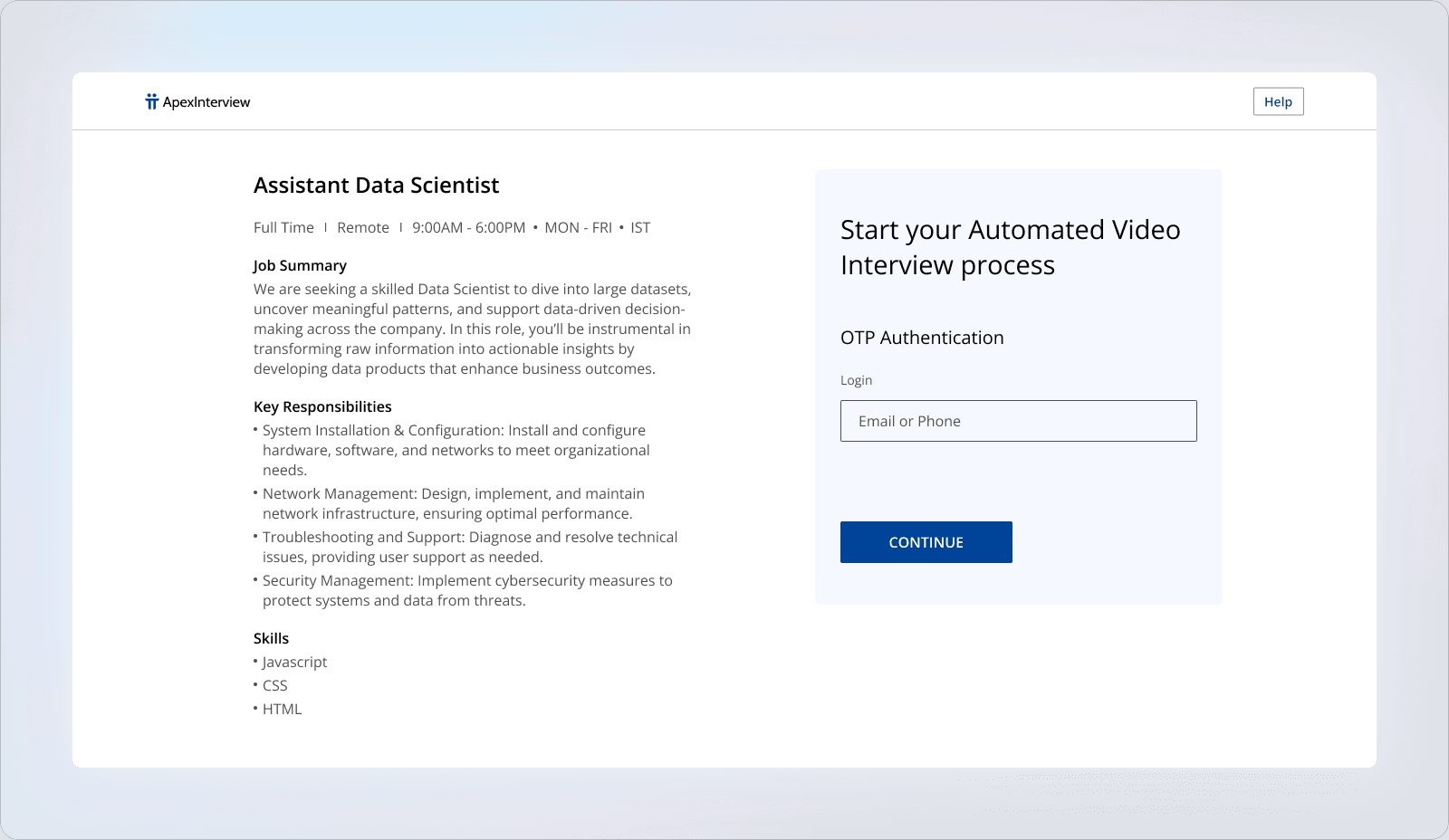
Frictionless Onboarding
The page balances job context on the left with a single, focused OTP login on the right, so candidates understand the role and can start the automated interview in one quick step.
The page balances job context on the left with a single, focused OTP login on the right, so candidates understand the role and can start the automated interview in one quick step.
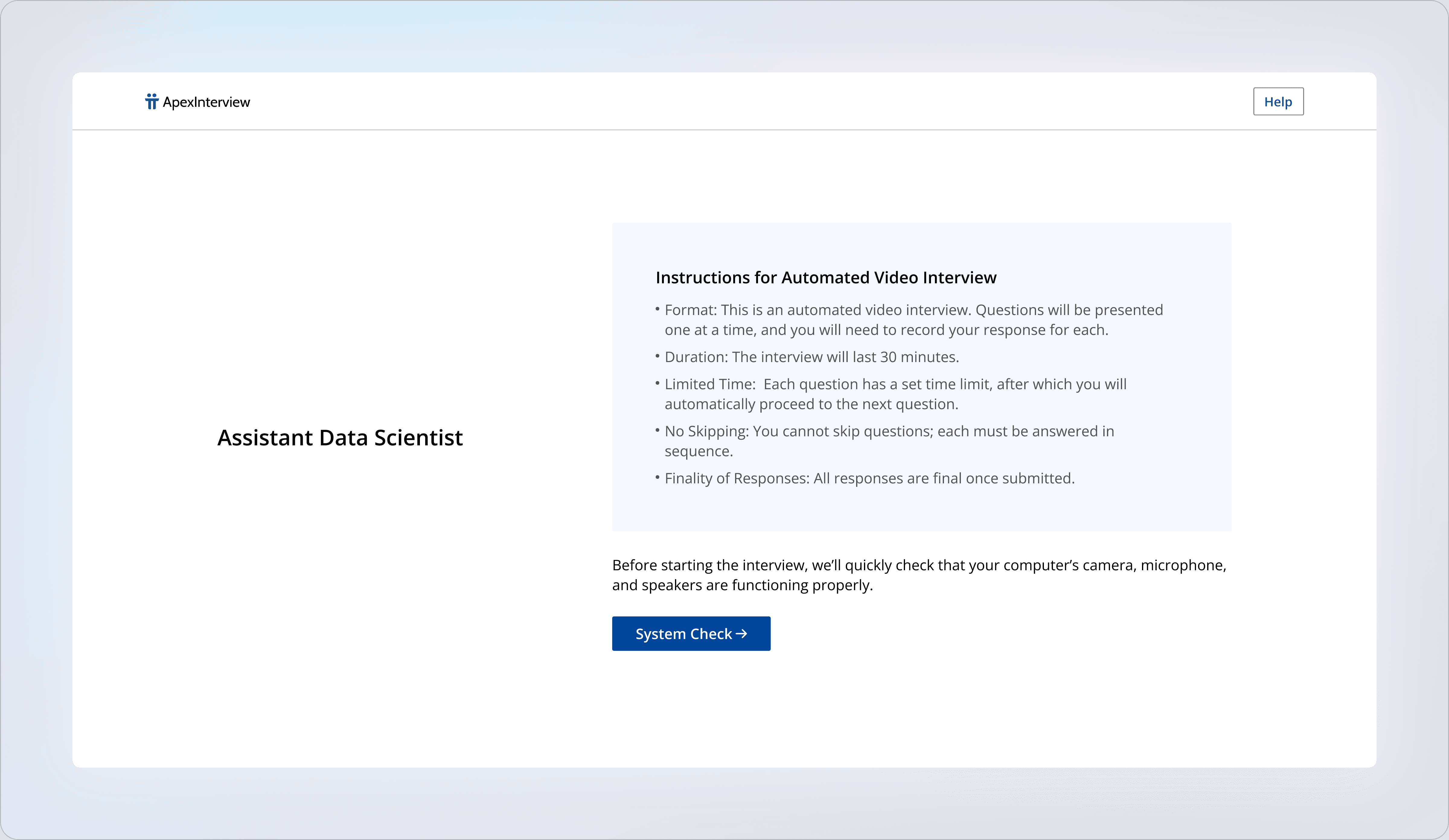
Expectation Setting + System Check
Before the interview begins, candidates get clear rules (format, duration, time limits, no-skips) and then take a quick device check, reducing anxiety and preventing avoidable tech issues mid‑recording.
Before the interview begins, candidates get clear rules (format, duration, time limits, no-skips) and then take a quick device check, reducing anxiety and preventing avoidable tech issues mid‑recording.
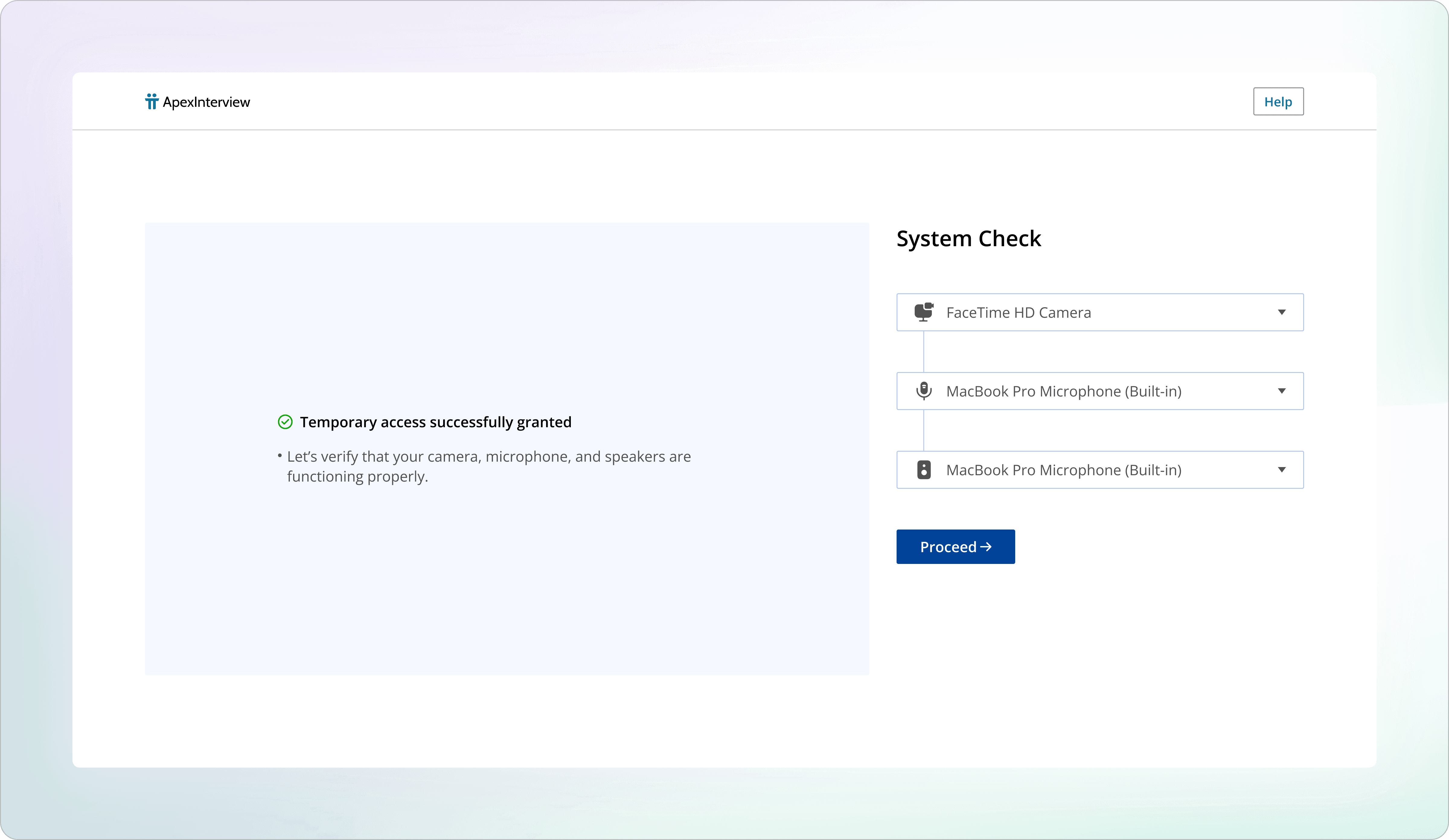
Confidence‑First Device Setup
After permissions are granted, the system check lets candidates quickly confirm their camera, mic, and speakers from dropdowns, with a single “Proceed” CTA to move forward only when everything’s ready.
After permissions are granted, the system check lets candidates quickly confirm their camera, mic, and speakers from dropdowns, with a single “Proceed” CTA to move forward only when everything’s ready.
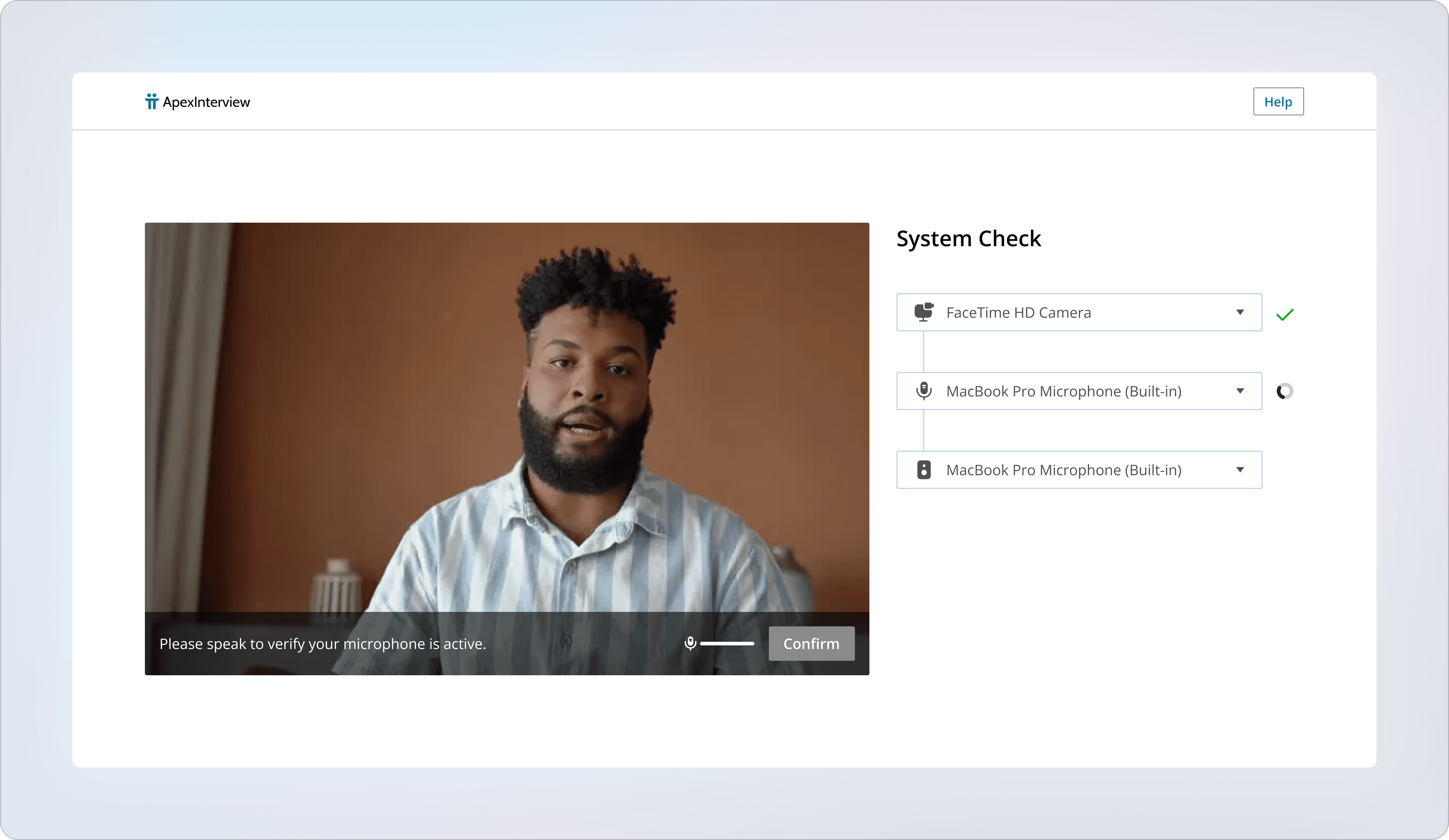
Live Camera Confirmation
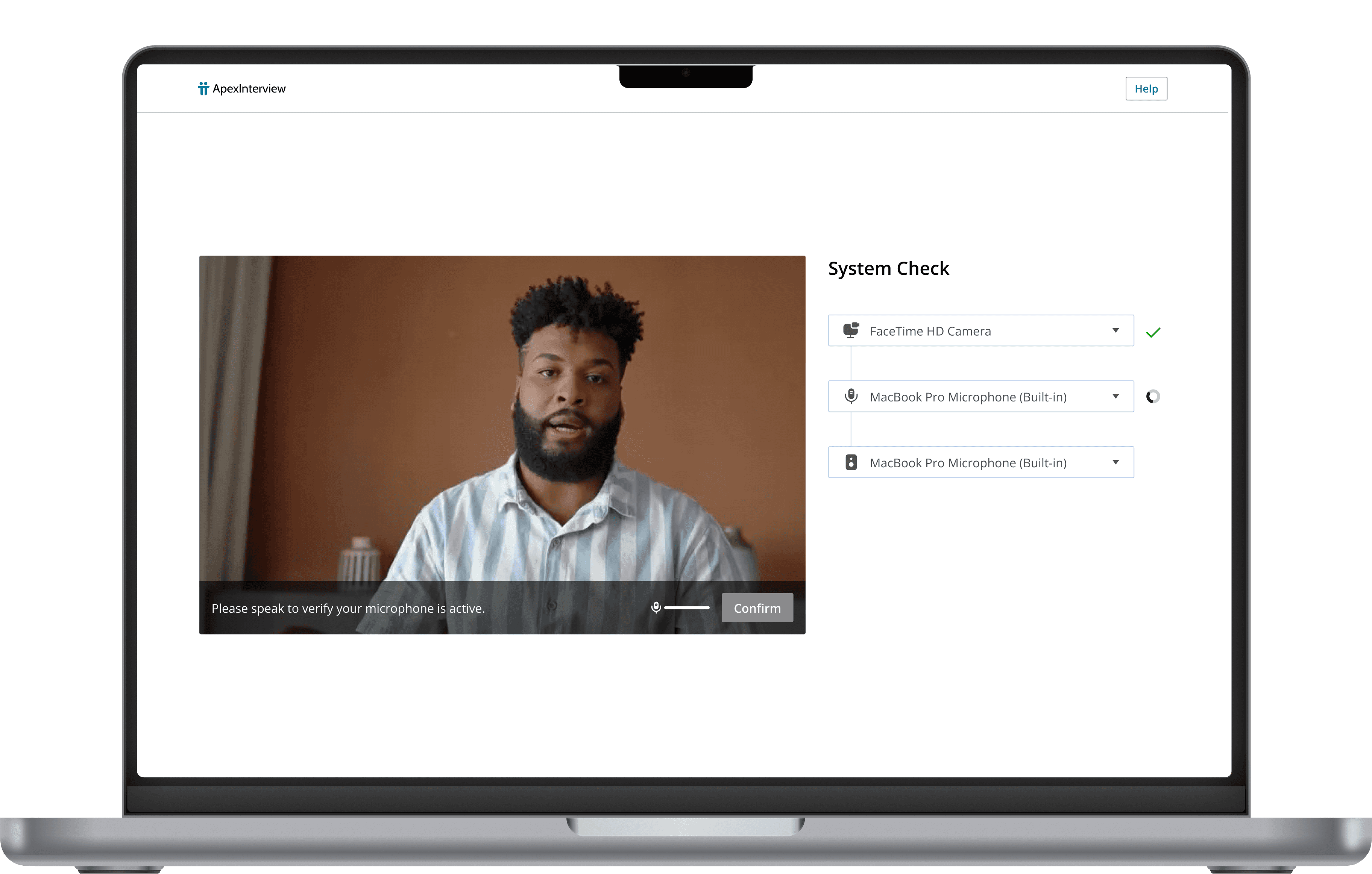
The system check shows a real-time video preview alongside device selectors, so candidates can validate framing and input sources and hit “Confirm” with confidence before the interview starts.
The system check shows a real-time video preview alongside device selectors, so candidates can validate framing and input sources and hit “Confirm” with confidence before the interview starts.
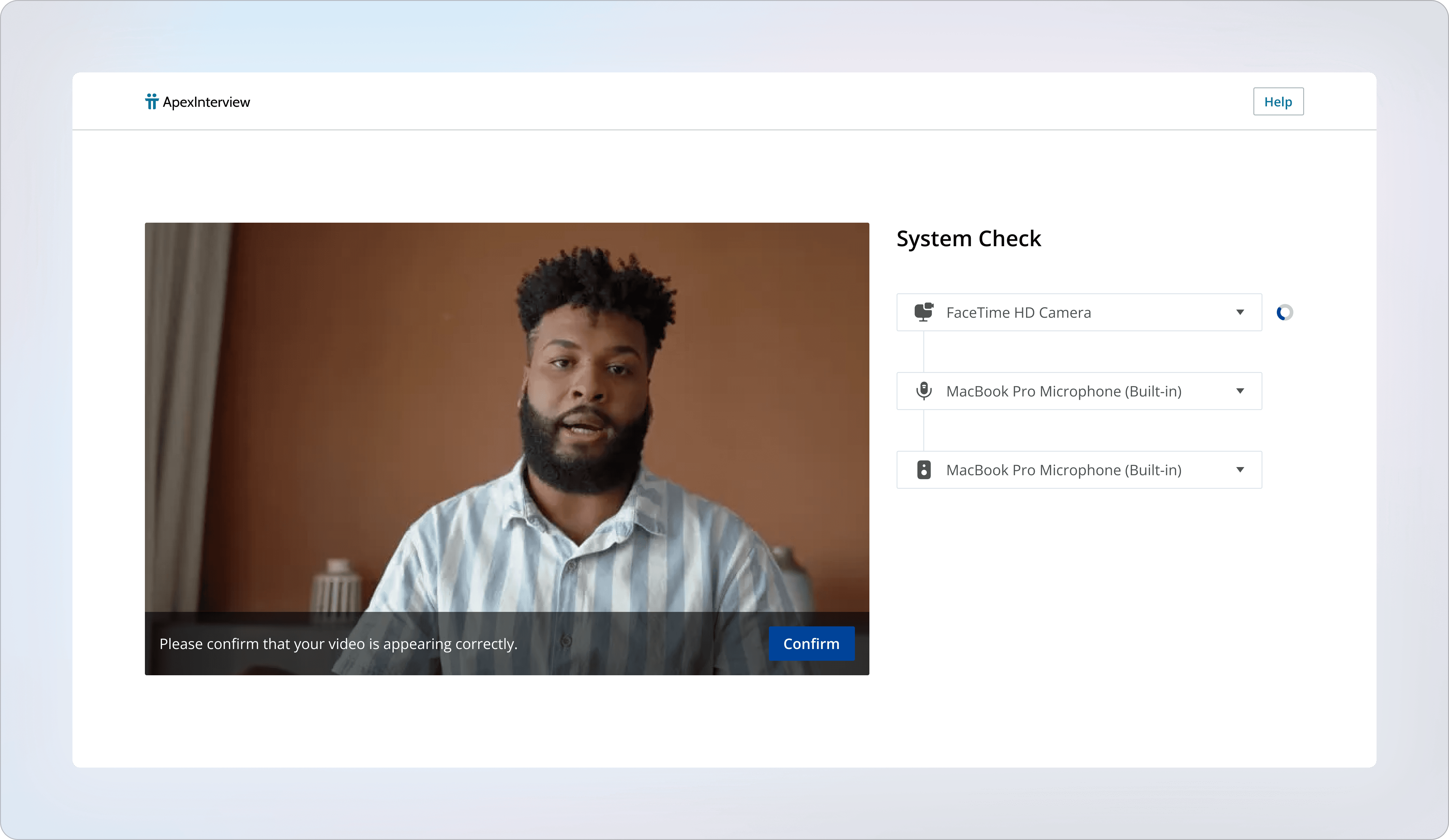
Step‑by‑Step System Validation
Each device check turns into a clear pass/fail moment (camera verified, mic prompted with a live input meter), so candidates can fix issues immediately and only confirm once everything is working.
Each device check turns into a clear pass/fail moment (camera verified, mic prompted with a live input meter), so candidates can fix issues immediately and only confirm once everything is working.
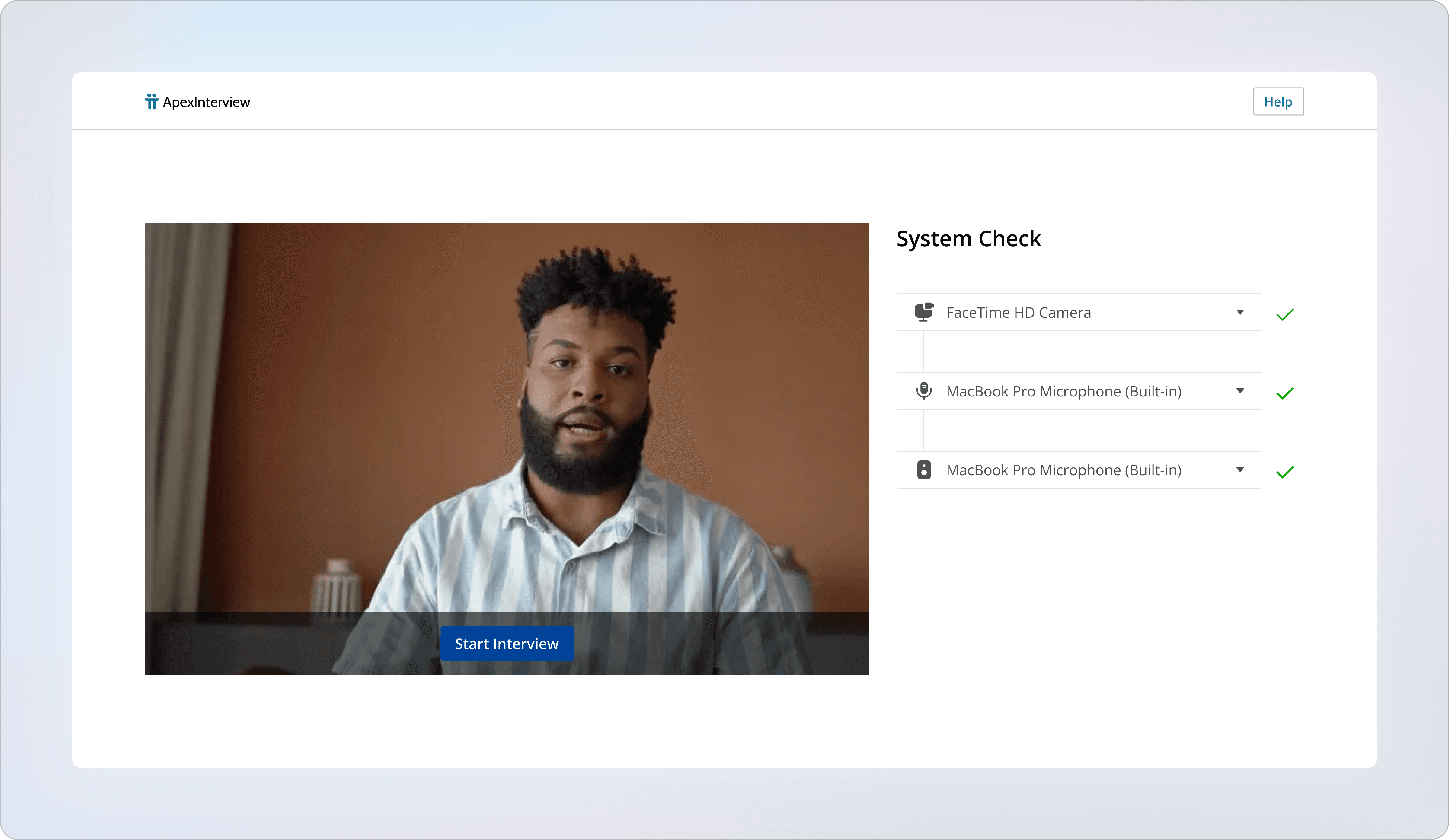
Ready‑to‑Start Gate
Once camera, mic, and speakers pass with clear checkmarks, the UI unlocks a single “Start Interview” action, creating a clean handoff from setup to the real flow.
Once camera, mic, and speakers pass with clear checkmarks, the UI unlocks a single “Start Interview” action, creating a clean handoff from setup to the real flow.
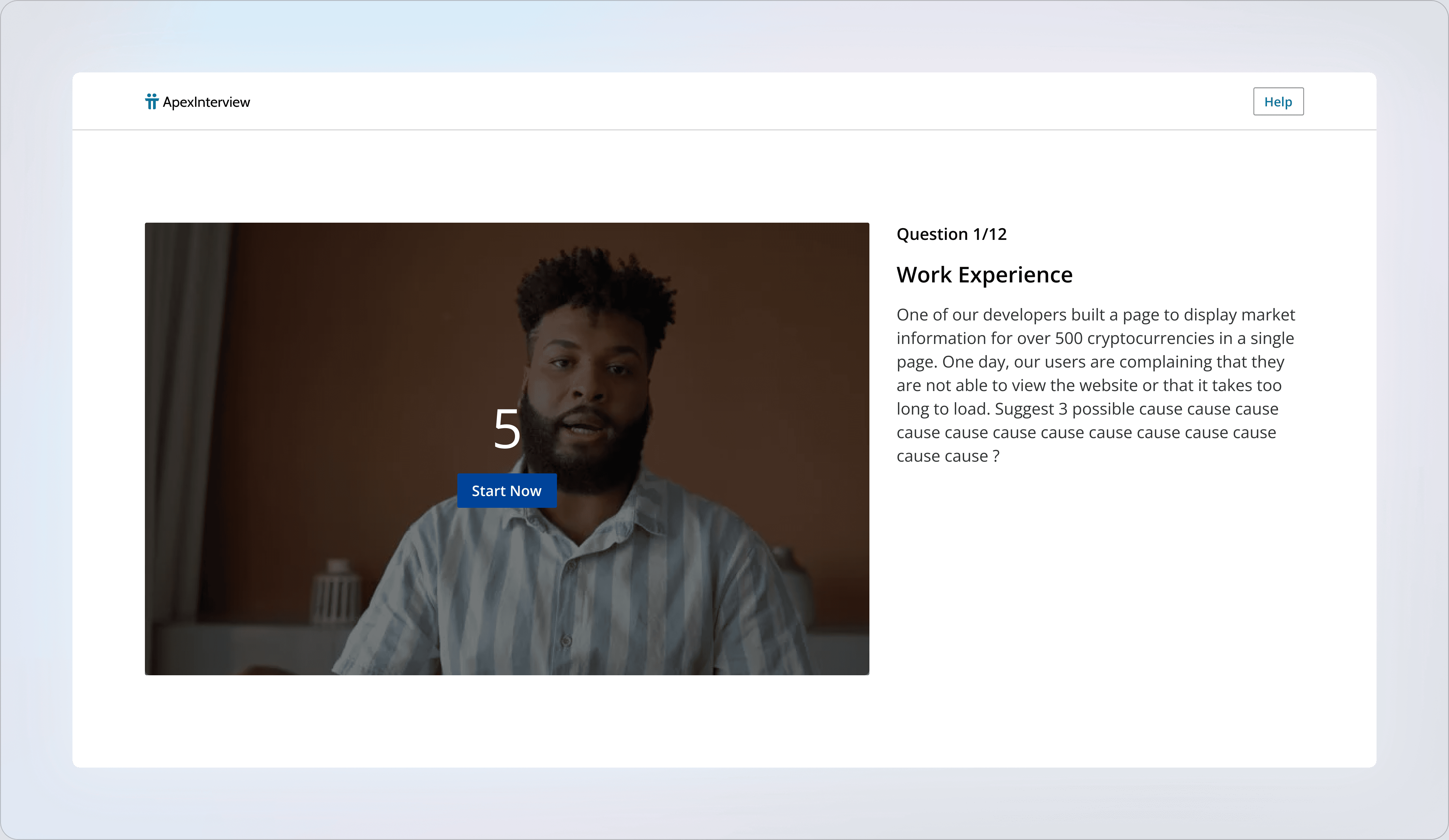
Question‑Focused Interview Flow
Each prompt is clearly numbered (e.g., Question 1/12) with the full scenario on the right, while the video panel on the left gives a “Start now” cue and countdown-style readiness—keeping candidates oriented and reducing hesitation between questions.
Each prompt is clearly numbered (e.g., Question 1/12) with the full scenario on the right, while the video panel on the left gives a “Start now” cue and countdown-style readiness—keeping candidates oriented and reducing hesitation between questions.
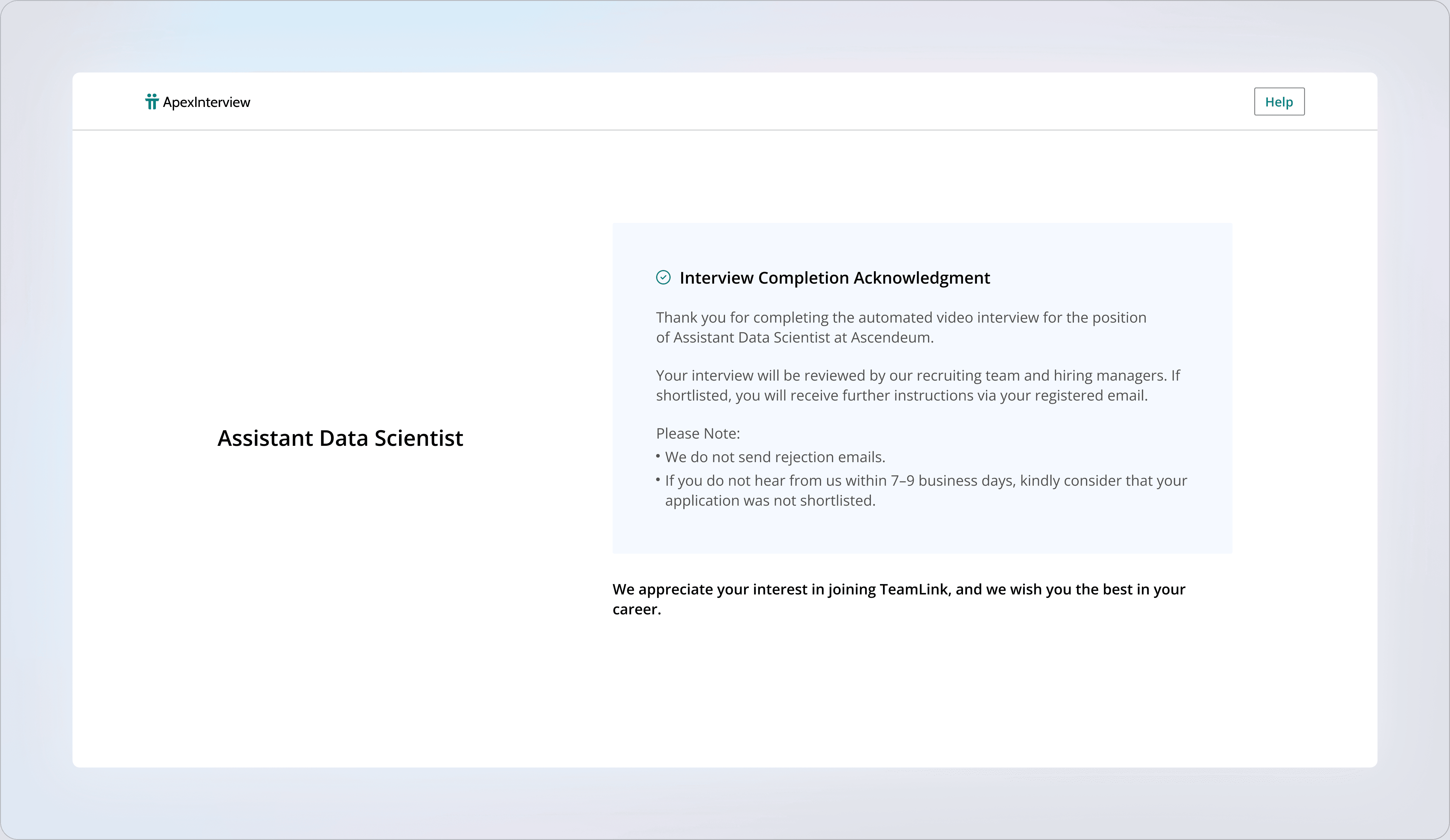
Clear Finish Line
A completion screen confirms the interview is submitted and sets expectations on what happens next (review process + timeline), giving candidates closure instead of leaving them guessing.
A completion screen confirms the interview is submitted and sets expectations on what happens next (review process + timeline), giving candidates closure instead of leaving them guessing.
hey@studiovexel.com
hey@studiovexel.com
hey@studiovexel.com
hey@studiovexel.com
HEADQUARTERED IN INDIA, SERVING CLIENTS GLOBALLY
HEADQUARTERED IN INDIA, SERVING CLIENTS GLOBALLY